Rendering 3D Shape Models
This example shows how to visualize asteroid and comet shape models using DSK (Digital Shape Kernel) data from NAIF.
Converting DSK to OBJ
Shape kernels from NAIF are in .bds format. Use the dskexp utility to convert [run it in the terminal] - sample file: ROS_ST_K020_OSPCLAM_U_V1.bds:
# Install dskexp
./setup_dskexp.sh
# Convert to OBJ
**Command:**
dskexp -dsk <your_bds_file> -text <your_obj_file> -format obj -prec 10
**Example:**
dskexp -dsk ROS_ST_K020_OSPCLAM_U_V1.bds -text ROS_ST_K020_OSPCLAM_U_V1.obj -format obj -prec 10
VisPy Renderer (Native Window)
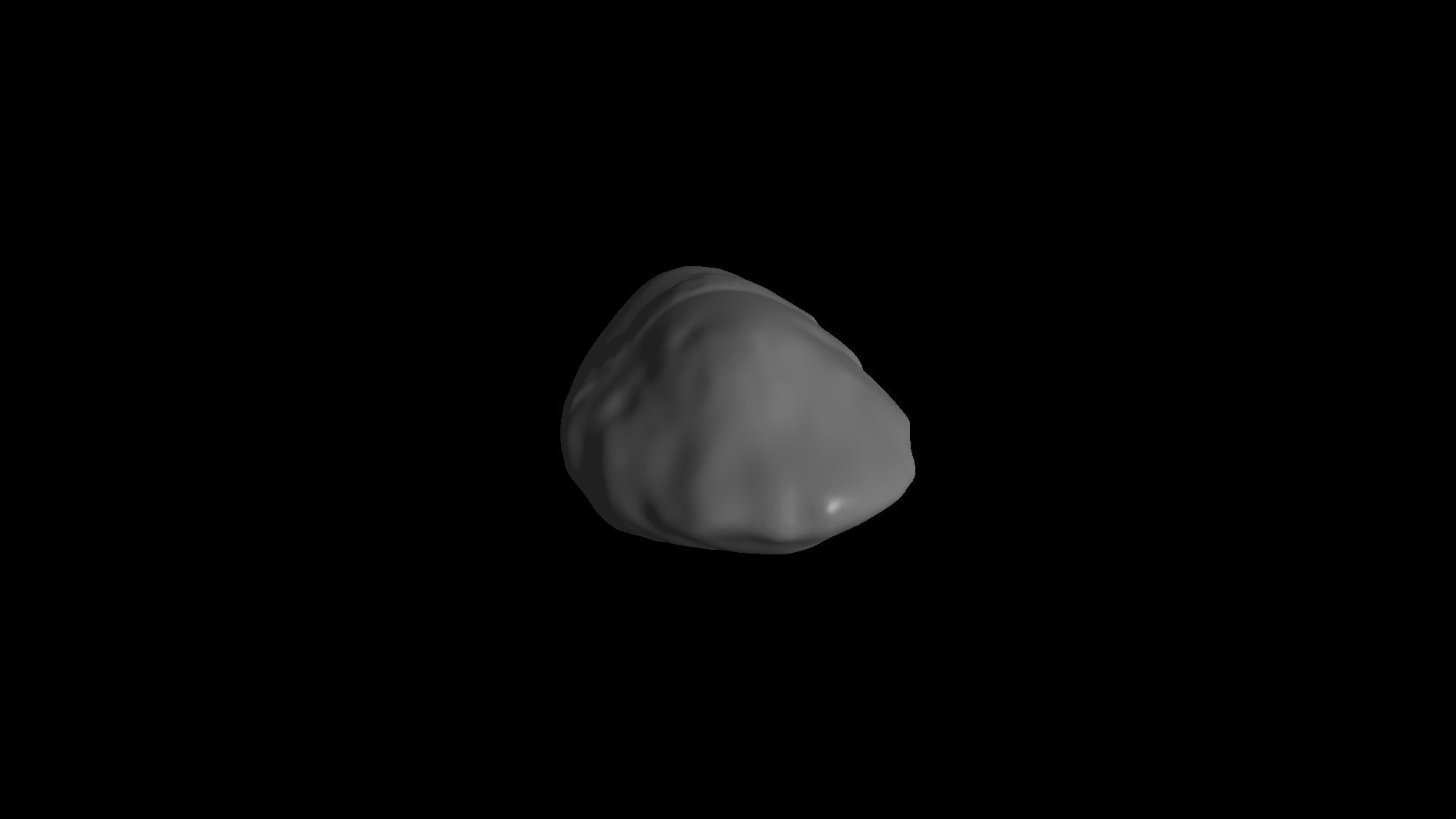
The boinor.render module provides a VisPy-based 3D renderer that opens a native OpenGL window.
[ ]:
"""
Example of rendering a 3D model using the render module.
Author: Rahul R. Sah, Furman University
"""
from vispy import app
from boinor.render import MainWindow, load_data
# Path to your Phobos OBJ file
obj_path = "ROS_ST_K020_OSPCLAM_U_V1.OBJ"
# Load the mesh data (vertices and faces)
vertices, faces = load_data(obj_path)
# # Create the rendering window
window = MainWindow()
window.set_model(vertices, faces)
# Run the event loop to display the window
app.run()
Customizing the VisPy view
[ ]:
window = MainWindow(camera="arcball", fov=45, bgcolor="black")
window.set_model(vertices, faces, shading="flat", color="grey")
app.run()
Interactive Plotly Renderer (Browser-based)
For interactive 3D visualization directly in Jupyter notebooks and Sphinx documentation, you can use Plotly instead of VisPy. This approach renders in the browser and allows rotation, zoom, and pan without a native window.
Load the mesh data
[1]:
from boinor.render import load_data
# Load the Phobos shape model, use other .obj for higher resolution
phobos_vertices, phobos_faces = load_data("PHOBOS_K275_DLR_V02.OBJ")
print(f"Loaded {len(phobos_vertices)} vertices and {len(phobos_faces)} faces")
Loaded 137439 vertices and 274874 faces
Phobos (Mars Moon)
[2]:
import plotly.graph_objects as go
import plotly.io as pio
from IPython.display import HTML
# Default style matching VisPy MainWindow defaults:
# bgcolor="black", color="grey", shading="smooth", fov=60
fig_phobos = go.Figure(data=[
go.Mesh3d(
x=phobos_vertices[:, 0],
y=phobos_vertices[:, 1],
z=phobos_vertices[:, 2],
i=phobos_faces[:, 0],
j=phobos_faces[:, 1],
k=phobos_faces[:, 2],
color='grey',
opacity=1.0,
flatshading=False, # smooth shading (default)
lighting=dict(
ambient=0.4,
diffuse=0.8,
specular=0.3,
roughness=0.5
),
lightposition=dict(x=100, y=200, z=300)
)
])
fig_phobos.update_layout(
title="Phobos (Mars Moon)",
scene=dict(
xaxis=dict(visible=False),
yaxis=dict(visible=False),
zaxis=dict(visible=False),
bgcolor='black',
aspectmode='data',
camera=dict(
projection=dict(type='perspective'),
eye=dict(x=1.5, y=1.5, z=1.5)
)
),
paper_bgcolor='black',
font=dict(color='white'),
margin=dict(l=0, r=0, t=40, b=0),
width=800,
height=600
)
HTML(pio.to_html(fig_phobos, include_plotlyjs="cdn", full_html=False))
[2]:
Asteroid Stein
[3]:
# Load the Asteroid shape model, use other .obj for higher resolution
vertices, faces = load_data("ROS_ST_K020_OSPCLAM_U_V1.OBJ")
print(f"Loaded {len(vertices)} vertices and {len(faces)} faces")
Loaded 10242 vertices and 20480 faces
[4]:
fig = go.Figure(data=[
go.Mesh3d(
x=vertices[:, 0],
y=vertices[:, 1],
z=vertices[:, 2],
i=faces[:, 0],
j=faces[:, 1],
k=faces[:, 2],
color='grey',
opacity=1.0,
flatshading=False, # smooth shading
lighting=dict(
ambient=0.4,
diffuse=0.8,
specular=0.3,
roughness=0.5
),
lightposition=dict(x=100, y=200, z=300)
)
])
fig.update_layout(
title="2867 Steins",
scene=dict(
xaxis=dict(visible=False),
yaxis=dict(visible=False),
zaxis=dict(visible=False),
bgcolor='black',
aspectmode='data',
camera=dict(
projection=dict(type='perspective'),
eye=dict(x=1.5, y=1.5, z=1.5)
)
),
paper_bgcolor='black',
font=dict(color='white'),
margin=dict(l=0, r=0, t=40, b=0),
width=800,
height=600
)
HTML(pio.to_html(fig, include_plotlyjs=False, full_html=False))
[4]:
Customizing the Plotly view
Matching the VisPy example with camera="arcball", fov=45, bgcolor="navy", shading="flat":
[5]:
# Custom view: navy background, flat shading
fig_custom = go.Figure(data=[
go.Mesh3d(
x=vertices[:, 0],
y=vertices[:, 1],
z=vertices[:, 2],
i=faces[:, 0],
j=faces[:, 1],
k=faces[:, 2],
color='grey',
opacity=1.0,
flatshading=True, # flat shading
lighting=dict(
ambient=0.4,
diffuse=0.8,
specular=0.3,
roughness=0.5
),
lightposition=dict(x=100, y=200, z=300)
)
])
fig_custom.update_layout(
title="Stein - Flat Shading",
scene=dict(
xaxis=dict(visible=False),
yaxis=dict(visible=False),
zaxis=dict(visible=False),
bgcolor='black',
aspectmode='data',
camera=dict(
projection=dict(type='perspective'),
eye=dict(x=1.5, y=1.5, z=1.5)
)
),
paper_bgcolor='black',
font=dict(color='white'),
margin=dict(l=0, r=0, t=40, b=0),
width=800,
height=600
)
HTML(pio.to_html(fig_custom, include_plotlyjs=False, full_html=False))
[5]: